


 By
By Mobile Security in 2026: Protecting Smartphones, Tablets, and Mobile Apps from Cyber Threats
Mobile devices have become an essential part of everyday life. From online banking and digital payments to social media and business communication, smartphones and tablets now store massive amounts of sensitive information. As mobile usage continues to grow, cybercriminals are increasingly targeting mobile users through malware, phishing attacks, fake apps, and data theft. This is why mobile security has become one of the most important areas of cybersecurity in 2026.
Mobile security refers to the technologies, practices, and tools designed to protect smartphones, tablets, and mobile applications from unauthorized access, cyberattacks, and data breaches. Whether you are an individual user or a business owner, understanding mobile security can help keep your personal and financial information safe.
Why Mobile Security Matters
Unlike traditional desktop computers, mobile devices are always connected to the internet and frequently used on public Wi-Fi networks. They also contain highly sensitive data such as passwords, banking details, private photos, emails, and business documents. If a mobile device is compromised, attackers can gain direct access to this information.
Modern cyber threats targeting mobile devices include:
- Malicious mobile apps
- Spyware and ransomware
- Phishing messages and fake login pages
- SIM swapping attacks
- Public Wi-Fi hacking
- Data leakage through insecure applications
As cyber threats evolve, both operating systems and security developers are introducing advanced protection methods to defend users from attacks.
App Sandboxing: Keeping Apps Isolated
One of the most effective mobile security techniques is app sandboxing. Sandboxing isolates applications from each other and restricts their access to the device’s operating system and sensitive data.
For example, when you install a mobile app, it should only access the permissions you allow, such as camera, location, or contacts. Sandboxing ensures that a malicious app cannot freely interact with other apps or system files.
Both Android and iOS use sandboxing technologies to reduce the risk of malware spreading across the device. This security layer helps prevent unauthorized access and limits damage if an app becomes compromised.
Mobile Antivirus Protection
Mobile antivirus software plays a major role in identifying and removing threats from smartphones and tablets. Advanced mobile antivirus solutions can:
- Detect malware and spyware
- Scan suspicious files and downloads
- Block malicious websites
- Warn users about unsafe apps
- Protect against phishing attacks
In 2026, many antivirus applications also include AI-powered threat detection to identify unusual behavior before damage occurs. While built-in mobile security has improved significantly, antivirus tools still provide an extra layer of protection, especially for Android users who install third-party apps.
Device Encryption for Data Protection
Device encryption converts data into unreadable code that can only be accessed with the correct password, PIN, or biometric authentication. Even if a device is lost or stolen, encryption prevents unauthorized users from reading sensitive information.
Most modern smartphones now include full-device encryption by default. This means photos, messages, app data, and financial information remain protected from hackers.
Encryption is especially important for businesses that allow employees to use personal devices for work. Mobile device encryption helps organizations protect confidential data and comply with cybersecurity regulations.
Secure Authentication Methods
Passwords alone are no longer enough to secure mobile devices. Secure authentication methods add stronger protection against unauthorized access.
Popular mobile authentication methods include:
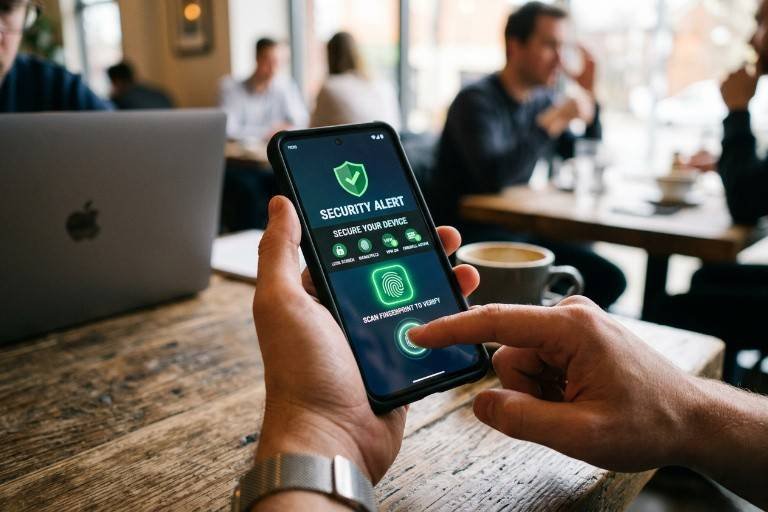
Biometric Authentication
Fingerprint scanning and facial recognition provide fast and secure access to devices and apps.
Multi-Factor Authentication (MFA)
MFA requires users to verify their identity using multiple methods, such as a password plus a one-time verification code.
Passkeys and Passwordless Login
Many platforms are now adopting passkeys, which use cryptographic authentication instead of traditional passwords. This reduces phishing risks and improves user security.
These authentication methods make it much harder for attackers to gain access to mobile accounts and applications.
Best Practices for Mobile Security
Users can also improve their mobile security by following a few simple habits:
- Download apps only from official app stores
- Keep operating systems and apps updated
- Avoid clicking suspicious links in messages or emails
- Use strong passwords and MFA
- Enable device tracking and remote wipe features
- Avoid connecting to unsecured public Wi-Fi networks
Businesses should additionally implement mobile device management (MDM) solutions to monitor and secure employee devices.
The Future of Mobile Security
As technology evolves, mobile security will continue to become more advanced. Artificial intelligence, behavioral analysis, and cloud-based threat detection are already improving how threats are identified and blocked in real time.
At the same time, cybercriminals are becoming more sophisticated, making user awareness and proactive security measures more important than ever. Mobile devices are now central to both personal and professional life, and protecting them is no longer optional.
Investing in strong mobile security practices today can help users stay protected against tomorrow’s digital threats.