

 By
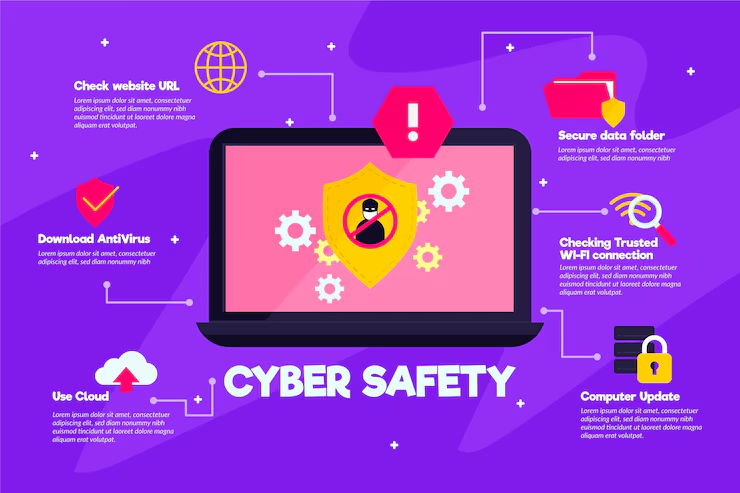
By In today’s digital world, computers store a huge amount of personal and professional information. From bank details and passwords to photos and work files, all this data is valuable. Cybercriminals constantly try to steal or damage this information through viruses, hacking, and online scams. That is why computer security is very important. By following some basic security tips, you can protect your data and use your computer safely.
1. Use Strong and Unique Passwords
Passwords are the first line of defense for your computer and online accounts. A weak password can be easily guessed or cracked. Always create strong passwords that include a mix of uppercase letters, lowercase letters, numbers, and special symbols.
Avoid using common words, your name, date of birth, or mobile number as passwords. Also, do not use the same password for multiple accounts. If one account is hacked, others may also be at risk. Using a password manager can help you store and manage strong passwords safely.
2. Keep Your Software Updated
Software updates are not just for new features; they also fix security problems. Operating systems, browsers, and applications often have security weaknesses that hackers can exploit. When developers find these issues, they release updates to fix them.
Always enable automatic updates on your computer. This ensures that your system has the latest security patches. Ignoring updates can leave your computer vulnerable to malware and cyberattacks.
3. Install and Use Antivirus Software
Antivirus software helps protect your computer from viruses, malware, spyware, and ransomware. It scans files, websites, and downloads to detect harmful programs.
Choose a trusted antivirus program and keep it updated. Regularly scan your system to detect and remove threats. Even free antivirus software can provide basic protection, but premium versions usually offer better security features.
4. Be Careful with Emails and Links
Email is one of the most common ways hackers spread malware and steal information. Phishing emails look like they come from trusted sources such as banks or companies, but they are fake.
Do not click on suspicious links or download attachments from unknown senders. Always check the sender’s email address carefully. If an email asks for personal information or passwords, it is likely a scam. Legitimate companies never ask for sensitive information through email.
5. Use Secure Internet Connections
Public Wi-Fi networks, such as those in cafes or airports, are often unsafe. Hackers can easily access data sent over unsecured networks. Avoid using public Wi-Fi for online banking, shopping, or entering passwords.
If you must use public Wi-Fi, use a Virtual Private Network (VPN). A VPN encrypts your internet connection and protects your data from hackers. At home, secure your Wi-Fi network with a strong password and modern encryption like WPA3 or WPA2.
6. Backup Your Data Regularly
Data loss can happen due to viruses, hardware failure, or accidental deletion. Regular backups ensure that your important files are safe even if something goes wrong.
You can back up your data using external hard drives, USB drives, or cloud storage services. Make it a habit to back up important files weekly or monthly. Having multiple backup copies provides extra safety.
7. Use Firewalls for Extra Protection
A firewall acts as a barrier between your computer and the internet. It monitors incoming and outgoing traffic and blocks suspicious activity. Most operating systems come with a built-in firewall.
Make sure your firewall is turned on at all times. It helps prevent unauthorized access to your computer and adds an extra layer of security against hackers.
8. Be Careful with Downloads and Apps
Downloading software, games, or files from unknown websites can be risky. These files may contain hidden malware or viruses. Always download software from official or trusted sources.
Before installing any application, read reviews and check permissions. If an app asks for unnecessary access, avoid installing it. Being cautious with downloads can save your computer from serious security problems.
9. Log Out and Lock Your Computer
Always log out of accounts when you finish using them, especially on shared or public computers. Lock your computer when not in use to prevent unauthorized access.
Use screen locks with passwords, PINs, or biometric options like fingerprints. This simple habit can protect your data from people who may try to access your computer without permission.
Conclusion
Computer security is not complicated, but it requires awareness and good habits. Using strong passwords, updating software, installing antivirus programs, and being careful online can greatly reduce security risks. Regular backups and secure internet connections add extra protection for your data.
By following these computer security tips, you can keep your personal and professional information safe and enjoy a secure digital life. Staying alert and informed is the key to protecting your data in the modern world.
Do follow instagram