

 By
By AI-Powered Computers in 2026: The Future of Personal Computing
Computers continue to evolve, and artificial intelligence is becoming one of the biggest forces shaping the electronics industry in 2026. From powerful laptops and compact desktop PCs to intelligent software assistants, modern computers are designed to do more than simply run applications. They are increasingly capable of helping users create content, automate repetitive tasks, analyse information, and work more efficiently.
One of the most important developments is the rise of AI-powered PCs, which combine traditional computing power with specialised hardware for artificial intelligence. Recent announcements from Microsoft, NVIDIA, Dell, and Qualcomm show how the industry is moving toward computers that can handle more AI tasks directly on the device.
1. What Makes AI Computers Different?
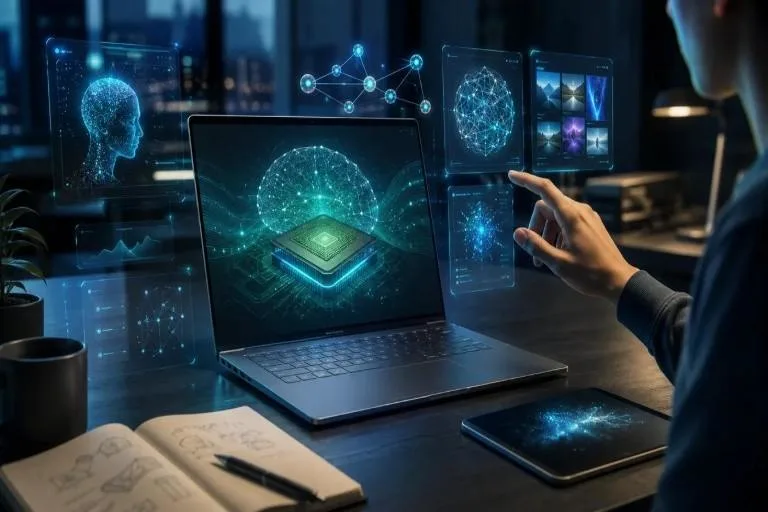
Traditional computers rely primarily on the central processing unit (CPU) and graphics processing unit (GPU) to handle everyday tasks. Many newer AI PCs also include a Neural Processing Unit (NPU), a specialised processor designed to accelerate certain AI workloads efficiently.
This combination allows compatible computers to handle activities such as real-time translation, background noise reduction, image processing, and selected AI-assisted applications. Microsoft explains that its Copilot+ PC category includes systems with NPUs capable of more than 40 trillion operations per second.
The benefits depend on the computer’s hardware and software. Not every AI feature is available on every PC, so consumers should check the specific requirements before purchasing a device.
2. AI Is Transforming Work and Productivity
One of the biggest advantages of AI-powered computers is their potential to improve productivity. Office workers can use AI assistants to summarise documents, organise information, draft emails, and prepare meeting notes.
Students may benefit from tools that explain difficult concepts, help organise study materials, and support research. Developers can use AI coding assistants to understand code, identify errors, and speed up certain programming tasks.
Creative professionals can also benefit from AI-assisted photo editing, video production, design, and content creation. These features do not replace human judgement, but they can reduce repetitive work and leave more time for creative decisions.
As these capabilities improve, the computer is becoming a more interactive working partner rather than simply a device for opening applications.
3. Local AI and Better Privacy
Another important trend is the growth of local AI processing. Instead of sending every request to a remote server, compatible computers can run certain AI models directly on their own hardware.
This approach can reduce dependence on an internet connection, improve responsiveness, and help keep some information on the device. Microsoft describes its emerging approach as hybrid intelligence, combining local processing with cloud computing when additional resources are required.
However, local processing does not automatically guarantee complete privacy. Some features still communicate with online services, so users should review application permissions, privacy settings, and data-handling policies.
4. Gaming and Content Creation Are Getting More Powerful
Gaming remains an important part of the computer market. Modern GPUs provide advanced graphics, improved rendering, and AI-assisted features that can enhance performance in supported games.
Meanwhile, creators increasingly need systems that can handle high-resolution video, complex graphics, large files, and demanding editing software. New AI-focused desktop systems and workstations are being developed to support these workloads.
For gamers and professionals, choosing the right hardware remains essential. A powerful GPU, sufficient memory, fast storage, and effective cooling can make a greater practical difference than an AI label alone.
5. What Should You Consider Before Buying a Computer?
Before purchasing a new laptop or desktop in 2026, consider how you intend to use it.
- For students: Prioritise affordability, battery life, portability, and reliable performance.
- For office work: Look for a comfortable keyboard, a good display, sufficient memory, and dependable video-call performance.
- For gaming: Compare graphics performance, cooling, display refresh rate, and upgrade options.
- For creative work: Consider processor performance, GPU capabilities, memory capacity, and colour accuracy.
- For AI applications: Check NPU capabilities, supported software, memory requirements, and whether important features work offline.
It is also worth considering repairability, warranty coverage, operating-system support, and the overall cost of ownership.
6. Challenges Facing AI Computers
Despite their advantages, AI-powered PCs face several challenges. Advanced hardware can increase purchase prices, while some AI features require subscriptions or an internet connection. Compatibility can also vary between applications and processors.
Security is another major consideration. AI assistants that can access files or perform actions require appropriate permissions and safeguards. Users should understand what an assistant can access and review its actions before allowing sensitive operations.
These issues show why consumers should compare real-world benefits rather than buying a computer based only on marketing claims.