

 By
By AI PCs in 2026: How Artificial Intelligence Is Transforming Computers and Laptops
The computer industry is entering an exciting new phase in 2026, with artificial intelligence becoming an important part of modern laptops and desktop computers. From helping users complete everyday tasks to running advanced creative applications, AI-powered PCs are changing how people work, learn, communicate, and create content.
Recent developments from Microsoft, NVIDIA, and leading computer manufacturers highlight a growing focus on computers that can run AI tasks directly on the device. This shift is making AI PCs one of the most interesting trends in computer electronics today.
1. What Is an AI PC?
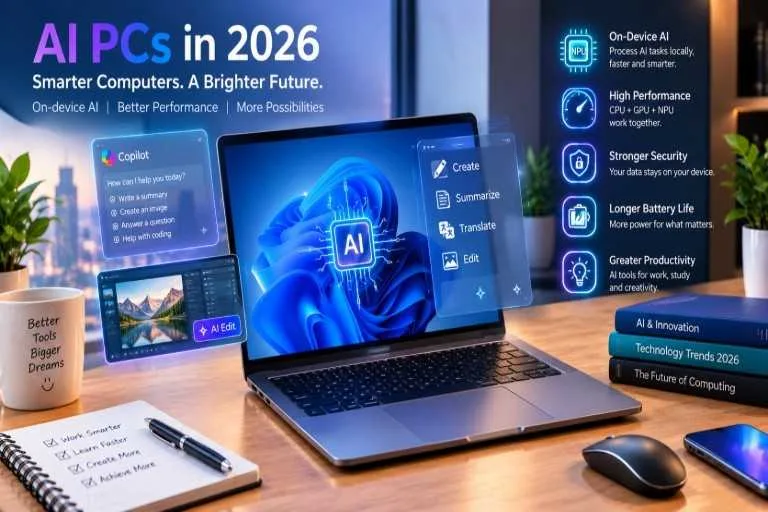
An AI PC is a computer designed with hardware and software that support artificial intelligence tasks. Many models include a Neural Processing Unit (NPU), a specialized processor that handles certain AI workloads efficiently alongside the central processing unit (CPU) and graphics processing unit (GPU).
Unlike traditional computers that depend heavily on cloud services for some AI features, compatible AI PCs can perform selected tasks locally. This can improve responsiveness and reduce the need to send certain information to external servers.
Microsoft’s Copilot+ PC platform is one example of this growing category, offering supported AI experiences through dedicated hardware and Windows features.
2. Smarter Features for Everyday Users
One of the biggest advantages of AI-powered computers is their potential to simplify everyday work. AI tools can assist with writing, summarizing documents, organizing information, translating supported speech, and editing images.
Students can use compatible applications to organize study materials and understand complex subjects. Office professionals can benefit from meeting summaries and writing assistance, while content creators can explore AI-powered image editing and video production tools.
The available features vary by computer, operating system, application, and language. Users should check compatibility before purchasing a laptop specifically for AI capabilities.
3. Faster Performance and Improved Efficiency
Modern AI PCs combine CPUs, GPUs, and NPUs to distribute workloads more effectively. The CPU manages general computing tasks, the GPU handles graphics-intensive work, and the NPU accelerates supported AI operations.
This division can help certain applications run more efficiently without placing every workload on the main processor. Depending on the hardware and software, it may also help preserve battery life during supported AI tasks.
However, an AI label alone does not guarantee better overall performance. Processor speed, memory capacity, storage, cooling, and software optimization remain important when comparing computers.
4. Local AI and Data Privacy
Privacy is another important consideration in the development of AI computers. When compatible AI features operate directly on a device, some information can be processed without being sent to a cloud service.
This can reduce network dependence and help keep sensitive information on the computer. It may also allow selected features to work without an internet connection.
Nevertheless, not every AI application works locally. Some tools still require cloud processing, and local processing does not automatically make a device completely secure. Users should review application permissions, privacy settings, and security updates.
5. New Opportunities for Gaming and Content Creation
AI technology is also influencing gaming, video editing, graphic design, and software development. Modern GPUs and specialized AI hardware can support features such as image enhancement, video effects, intelligent editing, and AI-assisted coding.
For gamers, compatible technologies can improve image quality or performance in supported games. Designers and video editors may benefit from faster creative workflows, while developers can use local AI models for selected coding and testing tasks.
The actual results depend on the system’s hardware, available memory, application support, and workload. High-performance gaming and professional computers may still require powerful dedicated graphics hardware.
6. What Should You Check Before Buying an AI PC?
Before purchasing a new computer in 2026, consider your primary needs and budget. Students and everyday users may prioritize portability, battery life, reliable performance, and affordability. Professionals may need additional memory, larger storage, stronger graphics, and specialized software compatibility.
Check whether the computer includes an NPU, which AI features it supports, and whether those features are available in your region. Also compare display quality, keyboard comfort, connectivity, warranty coverage, and upgrade options.
Avoid paying extra for AI branding alone. Choose a computer that performs well for the applications you actually use.