

 By
By AI-Powered Computers in 2026: How Local AI Is Transforming PCs
Artificial intelligence is changing the way people use computers. From laptops that assist with everyday tasks to powerful workstations capable of running advanced AI models, the computer industry is moving toward a smarter and more personalized computing experience.
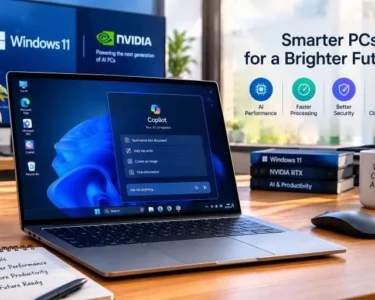
One of the biggest technology developments this week came from Microsoft and NVIDIA. On October 7, 2026, the companies announced new AI-powered Windows computers, software improvements, and security features designed to support artificial intelligence directly on personal computers. This development highlights an important trend: AI is moving from the cloud onto our desktops and laptops.
What Is Local AI Computing?
Traditionally, many AI applications send requests to powerful remote servers, process the information online, and return the results to the user’s computer. Local AI computing changes this approach by allowing compatible computers to run certain AI models directly on their own hardware.
These computers use processors, graphics processing units (GPUs), and specialized AI hardware to perform demanding tasks. Depending on the device and software, users may be able to generate images, summarize documents, write code, analyze information, and automate repetitive activities without sending every request to a cloud service.
Local processing can reduce dependence on internet connectivity and improve response times. It can also help users keep certain information on their own devices. However, some AI features will still require internet access, cloud services, or additional subscriptions.
Microsoft and NVIDIA Introduce a New AI PC Direction
Microsoft’s latest announcements demonstrate how quickly computer technology is evolving. The company is developing Windows around a concept called hybrid intelligence, which combines local computing with cloud-based AI services.
Under this approach, compatible AI tasks can run on the computer, while more demanding requests can use cloud resources when necessary. The goal is to make AI applications more responsive, flexible, and useful across different types of computers.
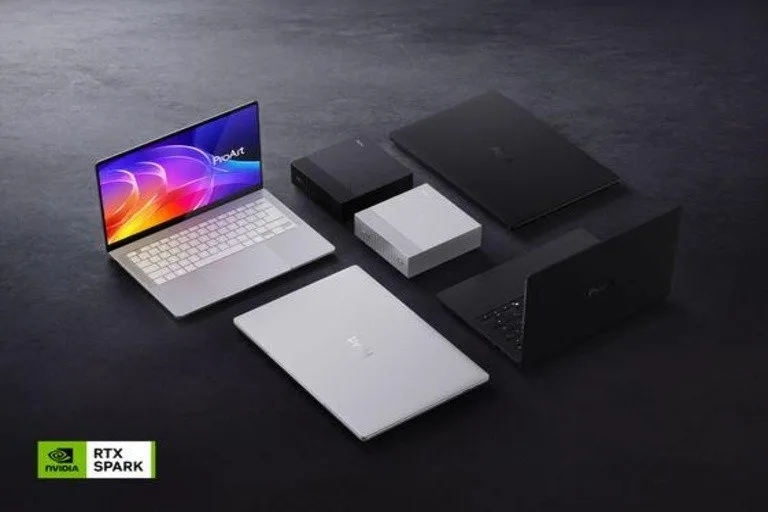
One of the key announcements is the Surface Laptop Ultra, developed with NVIDIA’s RTX Spark technology. Microsoft has positioned the device for demanding workloads such as AI development, advanced graphics, and professional content creation.
The companies are also expanding support for developers who want to experiment with local AI models on Windows. Microsoft’s Windows ML improvements include experimental support for running compatible GGUF models through llama.cpp, giving developers additional ways to test and build AI applications.
These developments suggest that future computers will be judged not only by their processors and storage capacity but also by their ability to run AI applications efficiently.
How AI PCs Could Help Everyday Users
AI-powered computers could improve productivity in several areas.
For students: AI tools can help organize study notes, summarize lengthy documents, explain difficult concepts, and support research. Students should still verify information and complete assignments responsibly.
For office workers: AI assistants can help draft emails, organize information, summarize meetings, and reduce time spent on repetitive tasks.
For developers: Computers with sufficient memory and processing power can run compatible language models locally, helping developers experiment with code generation, debugging, and software testing.
For designers and content creators: Local AI tools can support image generation, photo editing, video workflows, and creative experimentation.
The exact benefits depend on the computer’s specifications and the applications being used. A basic laptop will not necessarily deliver the same performance as a high-end AI workstation.
Why AI Security Matters
As AI applications become more capable, security is becoming increasingly important. An AI assistant that can access files, use applications, or execute commands must have clear limits on what it can do.
Microsoft has introduced Microsoft Execution Containers, a security technology designed to restrict the resources AI agents can access. These controls can help organizations manage agent activity and reduce the risk of unauthorized access.
Users should also follow basic security practices. Keep operating systems updated, install applications from trusted sources, review permissions, and back up important files. Avoid giving AI tools unrestricted access to sensitive documents unless necessary.
Local AI can offer privacy advantages, but running a model on your own computer does not automatically guarantee complete security.
Should You Buy an AI PC in 2026?
The answer depends on your needs.
If you mainly browse the internet, attend video meetings, watch movies, and use office applications, an affordable conventional laptop may be sufficient. Battery life, display quality, storage, keyboard comfort, and reliability remain important buying considerations.
However, developers, researchers, designers, and professionals who regularly use demanding AI applications may benefit from a computer with powerful graphics hardware and substantial memory.
Price is another important factor. Reuters reported that Microsoft’s Surface Laptop Ultra starts at $2,599 in the United States, making it a premium option rather than an everyday budget laptop.
Before purchasing, compare specifications, software compatibility, warranty coverage, and the AI features you will actually use.