

 By
By AI Agents on PCs in 2026: How Smart Computers Are Changing the Future of Work
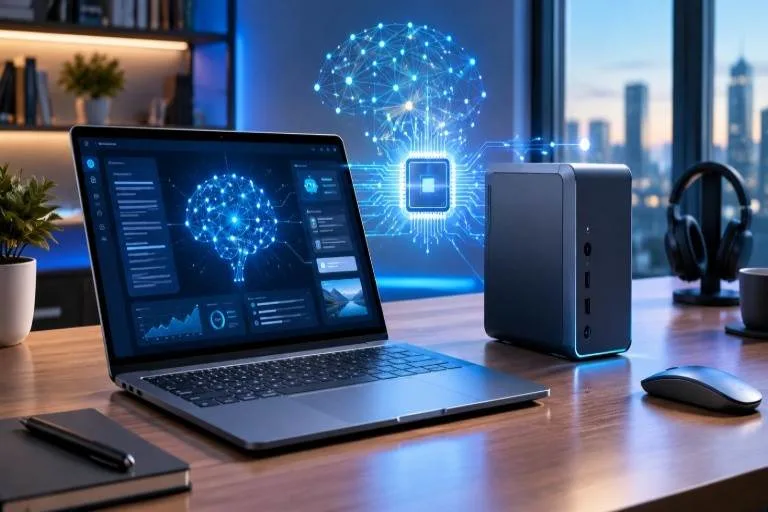
Computer technology is entering a new phase in 2026. For years, computers have helped people browse the internet, create documents, communicate, and run applications. Now, artificial intelligence is making it possible for computers to do more than respond to commands. AI-powered agents are beginning to help users complete tasks, organize information, and automate everyday workflows.
This trend received fresh attention on October 7, when Microsoft announced new developments for Windows, including improved local AI capabilities and security features for AI agents. The announcement highlights how personal computers are evolving from tools that execute individual commands into assistants that can help manage more complex activities.
What Are AI Agents on Computers?
AI agents are software systems designed to work toward a goal by performing multiple steps. Unlike a traditional chatbot that mainly answers questions, an AI agent may be able to interact with applications, search files, organize information, or assist with a software development workflow.
For example, a user could ask an AI assistant to locate documents related to a project and organize them into appropriate folders. Depending on the software and permissions, the agent might search the computer, identify relevant files, and carry out the requested actions.
These capabilities are still developing, and not every computer or AI application supports them. Users should also understand what actions an agent can perform before allowing it to access personal information or modify files.
Microsoft Brings AI Closer to Windows
One of the significant developments in this area comes from Microsoft. Its October announcements describe a Windows strategy built around hybrid intelligence, combining AI models running on a computer with cloud-based services.
With appropriate permissions, Windows Copilot is intended to use relevant local context, work with compatible files, and help users complete actions directly on their computers. This could make tasks such as finding documents, troubleshooting problems, and organizing information more convenient.
The approach also gives developers more options for running compatible AI models locally. Instead of sending every request to a remote server, a computer may be able to process certain tasks using its own hardware.
However, local AI performance depends on available memory, processing power, software compatibility, and the complexity of the task.
Why Local AI Processing Matters
Local AI is becoming an important part of the computer industry because it can offer several practical advantages.
Faster responses: Running suitable models on the computer can reduce delays caused by sending requests to remote servers.
Greater privacy control: Some processing can happen on the user’s device, potentially reducing the amount of information that needs to be sent to an online service.
Reduced cloud dependence: Compatible features may continue to work without a reliable internet connection.
More personalized assistance: With permission, AI software can use relevant information from local files to provide more useful support.
These benefits are not automatic. Some features still require internet access, and local processing does not guarantee that an application will keep all information private.
New Computers Designed for AI Workloads
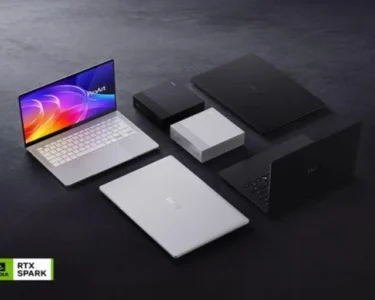
The growing interest in AI agents is also influencing computer hardware. Manufacturers are developing systems with powerful processors, advanced graphics capabilities, and larger memory configurations to support demanding AI applications.
Microsoft’s recent announcements included new Windows computers from manufacturers such as ASUS, Dell, HP, Lenovo, and MSI. The company also highlighted the Surface Laptop Ultra, designed for developers and professionals who need substantial local computing power.
These high-performance systems may appeal to software developers, researchers, designers, and businesses experimenting with AI tools.
Nevertheless, ordinary users do not necessarily need an expensive AI workstation. A standard laptop may remain perfectly suitable for browsing, video calls, document editing, and everyday activities.
Security Is Essential for AI Agents
As AI agents gain the ability to interact with files and applications, computer security becomes increasingly important.
An agent with excessive permissions could accidentally modify important documents, expose sensitive information, or perform an unintended action. Users therefore need clear controls over what an AI system can access and change.
Microsoft has introduced Microsoft Execution Containers, a technology designed to restrict which files and networks supported AI agents can access. These controls help organizations manage agent activity and establish boundaries around automated tasks.
Computer users should follow basic precautions: install trusted software, review permissions, keep their operating systems updated, and maintain backups. Important actions involving financial information, confidential documents, or system settings should receive human review.
Should You Upgrade Your Computer in 2026?
The decision depends on how you use your computer. Students may benefit from AI tools that summarize notes and organize research. Office workers could save time on repetitive administrative tasks, while developers may appreciate the ability to experiment with local coding models.
Before buying a new computer, compare memory, processor performance, battery life, storage, software support, and price. Check whether the AI features you want are actually available on the model you are considering.
It is also worth remembering that AI features can change through software updates. Buying a computer based only on advertised AI capabilities may not deliver the value you expect.